rtl-chat — Claude Code plugin: clean RTL text in chat replies
Keeps Claude's answers readable when Hebrew and English appear in the same reply, so words and punctuation don't jump around.
/plugin marketplace add anthropics/claude-plugins-community
/plugin install rtl-chat@claude-communityWhat rtl-chat does
This plugin handles bidirectional text. Once Hebrew enters the conversation, replies tend to scramble at the boundary between scripts. rtl-chat takes care of that formatting so an answer reads in order instead of as broken fragments.
The design is always-on: every reply is covered while Hebrew is present in the chat. There is nothing to invoke. English fragments such as file paths and commands should stay where they belong rather than drift across the line.
It installs from the community marketplace. With no Hebrew in a session it does nothing useful — this is not a tool that changes your project. Expect to notice it only on mixed-script answers.
What it helps with
- Read Claude's Hebrew answers without scrambled word order
- Keep English paths and commands intact inside a right-to-left paragraph
- Get every reply oriented correctly without asking each time
- Follow Hebrew output without mentally re-sorting the lines
Example prompts for the agent
- Answer in Hebrew and tell me where the config lives in this project.
- Keep going in Hebrew, but leave the English commands untouched.
- Rewrite your last answer in Hebrew so the text isn't jumbled.
How to install rtl-chat
Plugin marketplace
/plugin marketplace add anthropics/claude-plugins-community/plugin install rtl-chat@claude-communityStep by step, with commands for each platform: Claude Code plugins: marketplaces, installing, and building your own
Questions about rtl-chat
How do I install rtl-chat in Claude Code?
Add the marketplace first: /plugin marketplace add anthropics/claude-plugins-community. Then run /plugin install rtl-chat@claude-community.
What does rtl-chat do?
It fixes the layout of two-direction text in Claude's output whenever Hebrew shows up in the conversation, particularly alongside English.
Does it need to be triggered?
No. It is meant to apply to each response while Hebrew is part of the chat.
Source text
rtl-chat · MIT
<p align="center">
<a href="https://github.com/MSApps-Mobile/claude-plugins/stargazers"><img src="https://img.shields.io/github/stars/MSApps-Mobile/claude-plugins?style=social" alt="GitHub Stars"></a>
<img src="https://img.shields.io/github/forks/MSApps-Mobile/claude-plugins?style=social" alt="GitHub Forks">
<img src="https://img.shields.io/badge/plugins-29-blue" alt="Plugins">
<img src="https://img.shields.io/badge/SOSA%E2%84%A2-compliant-brightgreen" alt="SOSA Compliant">
<img src="https://img.shields.io/badge/Claude_Code-compatible-8A2BE2" alt="Claude Code">
<img src="https://img.shields.io/badge/Cowork-compatible-8A2BE2" alt="Cowork">
</p>
<p align="center">
<a href="https://github.com/MSApps-Mobile/claude-plugins/stargazers">
</a>
</p>
# MSApps Claude Plugins
> **If you find these plugins useful, please ⭐ star this repo** — it helps other developers discover the marketplace and motivates us to keep building!
**The largest open-source plugin marketplace for Claude.** 29 production-ready plugins for [Claude Code](https://docs.anthropic.com/en/docs/claude-code) (CLI) and [Cowork](https://claude.ai) (desktop app) — built on the SOSA™ security framework.
> Upload to Google Drive. Track time in Toggl. Transcribe YouTube videos. Send WhatsApp messages. Manage WordPress. Prospect with Apollo. Clean your Mac. All from a single Claude conversation.
```bash
# Add the marketplace (one-time)
/plugin marketplace add MSApps-Mobile/claude-plugins
# Install any plugin
/plugin install google-drive-upload@msapps-plugins
```
**That's it.** No API wrappers. No config files (for most plugins). Just install and talk to Claude naturally.
---
## Why This Exists
AI plugins today have a trust problem. Most are demos — not production tools. They hardcode credentials, skip confirmation on destructive actions, and have no concept of agent boundaries.
We built **SOSA™ (Supervised Orchestrated Secured Agents)** to fix that — a four-pillar methodology for production-grade autonomous AI operations. Every plugin in this marketplace declares its compliance level, impact classification, and security posture.
**The four pillars:**
| Pillar | In Practice |
|--------|------------|
| **🛡️ Supervised** | High-impact actions require human approval. An outreach agent can't send 500 emails without your sign-off. |
| **⚙️ Orchestrated** | Agents follow Plan → Act → Verify. Token budgets are enforced — bloated skills waste your money. |
| **🔒 Secured** | No hardcoded credentials (checked in CI). Plugin authors should treat external data as untrusted and pin package versions; neither is enforced here. |
| **🤖 Agents** | Each agent has a formal role spec, declared tool access, and explicit boundaries. A finance agent can't send emails — period. |
> **📄 Read the whitepaper:** [SOSA™ — Supervised Orchestrated Secured Agents](docs/sosa-whitepaper.pdf) (Shatz, 2026)
---
## Available Plugins
| Plugin | What it does | Install |
|--------|-------------|---------|
| [**google-drive-upload**](./plugins/google-drive-upload) | Upload files to Google Drive — unlimited, free | `google-drive-upload@msapps-plugins` |
| [**toggl-time-tracker**](./plugins/toggl-time-tracker) | Track time with Toggl — start/stop timers, reports | `toggl-time-tracker@msapps-plugins` |
| [**youtube-transcriber**](./plugins/youtube-transcriber) | Transcribe YouTube videos & playlists — no API key | `youtube-transcriber@msapps-plugins` |
| [**session-backup**](./plugins/session-backup) | Daily backups of sessions, skills & configs to Drive | `session-backup@msapps-plugins` |
| [**notion-memory**](./plugins/notion-memory) | Long-term memory + the 4 official Anthropic Notion skills (knowledge-capture, meeting-intelligence, research-documentation, spec-to-implementation) bundled in | `notion-memory@msapps-plugins` |
| [**mac-disk-cleaner**](./plugins/mac-disk-cleaner) | Reclaim disk space on macOS — clean caches, find bloat | `mac-disk-cleaner@msapps-plugins` |
| [**mac-agent-hygiene**](./plugins/mac-agent-hygiene) | Daily LaunchAgent + MCP server that keeps agent Macs from filling up — caches and stale pushed worktrees, plan → confirm → apply | `mac-agent-hygiene@msapps-plugins` |
| [**whatsapp-mcp**](./plugins/whatsapp-mcp) | Connect Claude to WhatsApp — search, read, send | `whatsapp-mcp@msapps-plugins` |
| [**apify-scraper**](./plugins/apify-scraper) | Full Apify web scraping — run Actors, manage datasets | `apify-scraper@msapps-plugins` |
| [**apollo**](./plugins/apollo) | Prospect leads & enrich contacts with Apollo.io | `apollo@msapps-plugins` |
| [**wordpress-mcp**](./plugins/wordpress-mcp) | Manage WordPress — posts, users, WooCommerce & more | `wordpress-mcp@msapps-plugins` |
| [**x-content-intelligence**](./plugins/x-content-intelligence) | Scrape X/Twitter for insights & generate content | `x-content-intelligence@msapps-plugins` |
| [**cowork-mem**](./plugins/cowork-mem) | Persistent memory across Cowork sessions — so Claude never loses context | `cowork-mem@msapps-plugins` |
| [**skill-campfire**](./plugins/skill-campfire) | Turn your skills into characters who hang out around a campfire | `skill-campfire@msapps-plugins` |
| [**rtl-chat-fixer**](./plugins/rtl-chat-fixer) | Fix jumbled RTL/LTR text mixing (Hebrew, Arabic) | `rtl-chat-fixer@msapps-plugins` |
| [**vm-disk-cleanup**](./plugins/vm-disk-cleanup) | Fix disk-full errors in Cowork VMs & sandboxes | `vm-disk-cleanup@msapps-plugins` |
| [**cowork-session-fixer**](./plugins/cowork-session-fixer) | Fix stuck Cowork sessions — automated 5-tier recovery | `cowork-session-fixer@msapps-plugins` |
| [**fix-chrome-connection**](./plugins/fix-chrome-connection) | Fix stale Claude in Chrome connections | `fix-chrome-connection@msapps-plugins` |
| [**github-cli-health-check**](./plugins/github-cli-health-check) | Scheduled health check for GitHub CLI | `github-cli-health-check@msapps-plugins` |
| [**zoho-mail-health**](./plugins/zoho-mail-health) | Daily health check for Zoho Mail accounts | `zoho-mail-health@msapps-plugins` |
| [**gcloud-cli-health-check**](./plugins/gcloud-cli-health-check) | Scheduled health check for Google Cloud CLI (gcloud) | `gcloud-cli-health-check@msapps-plugins` |
| [**opsagent-shopify**](./plugins/opsagent-shopify) | Shopify operating skills bundle — Storefront MCP, Symmetry theme install, Partner marketing assessment | `opsagent-shopify@msapps-plugins` |
### Security & Optimization Plugins
| Plugin | What it does | Install |
|--------|-------------|---------|
| [**sosa-compliance-checker**](./plugins/sosa-compliance-checker) | Audit your entire plugin ecosystem against SOSA™ | `sosa-compliance-checker@msapps-plugins` |
| [**token-efficiency-audit**](./plugins/token-efficiency-audit) | Find and fix token waste — typical savings: 20-50% | `token-efficiency-audit@msapps-plugins` |
| [**sosa-governor**](./plugins/sosa-governor) | Real-time SOSA governance layer — classifies, gates, and logs every MCP tool call | `sosa-governor@msapps-plugins` |
| [**sosa-orchestrator**](./plugins/sosa-orchestrator) | Token-aware task prioritization and budget management for Claude sessions | `sosa-orchestrator@msapps-plugins` |
### Developer Tools
| Plugin | What it does | Install |
|--------|-------------|---------|
| [**swift-lsp**](./plugins/swift-lsp) | Real-time Swift code intelligence — diagnostics, go-to-definition, hover types via SourceKit-LSP | `swift-lsp@msapps-plugins` |
| [**kotlin-lsp**](./plugins/kotlin-lsp) | Real-time Kotlin code intelligence — diagnostics, go-to-definition, hover types via kotlin-language-server | `kotlin-lsp@msapps-plugins` |
| [**md-composer**](./plugins/md-composer) | Audit, compose, and refactor CLAUDE.md files — keeps memory under 200 lines, flips negative rules, splits across the 4-level hierarchy ([inspiration](https://medium.com/@kjramsy/your-claude-md-is-eating-your-token-budget-heres-how-to-fix-it-b8d6c4d1c986)) | `md-composer@msapps-plugins` |
| [**agents-md-optimizer**](./plugins/agents-md-optimizer) | Audit bloated CLAUDE.md / AGENTS.md files and rewrite them lean, or author a new one using the 200-line "recipe book" principle | `agents-md-optimizer@msapps-plugins` |
> **Mobile devs:** swift-lsp ships with Xcode — zero extra setup. kotlin-lsp installs via `brew install kotlin-language-server`.
> **Pro tip:** Run `sosa-compliance-checker` on all your installed plugins — not just ours. It checks for hardcoded API keys, missing confirmation gates, unpinned packages, and prompt injection risks in *any* plugin; it is an audit aid that reports findings, not a guarantee.
---
## Quick Start
### Claude Code (CLI)
```bash
# 1. Add marketplace (one-time)
/plugin marketplace add MSApps-Mobile/claude-plugins
# 2. Install what you need
/plugin install mac-disk-cleaner@msapps-plugins
/plugin install youtube-transcriber@msapps-plugins
# 3. Just talk to Claude
# "Clean up my Mac" / "Transcribe this video: https://..."
```
### Cowork (Desktop App)
1. **Settings** → **Plugins** → **Marketplaces** → **Add** → `MSApps-Mobile/claude-plugins`
2. Search for any plugin and click **Install**
3. Start talking — Claude uses the plugin automatically
---
## Setup Guides
<details>
<summary><strong>Google Drive Upload</strong></summary>
One-time Google Apps Script deployment. Save your config to `~/.cowork-gdrive-config.json`:
```json
{
"url": "https://script.google.com/macros/s/YOUR_SCRIPT_ID/exec",
"apiKey": "your-api-key"
}
```
</details>
<details>
<summary><strong>Toggl Time Tracker</strong></summary>
Save your Toggl API token to `~/.toggl-config.json`:
```json
{
"apiToken": "your-toggl-api-token",
"workspaceId": 1234567
}
```
Get your token at [track.toggl.com/profile](https://track.toggl.com/profile).
</details>
<details>
<summary><strong>YouTube Transcriber</strong></summary>
No config needed — just requires the **Claude in Chrome** extension. Paste any YouTube URL and ask Claude to transcribe it.
</details>
<details>
<summary><strong>WhatsApp MCP</strong></summary>
Requires the [WhatsApp MCP bridge](https://github.com/lharries/whatsapp-mcp):
```bash
brew install go uv ffmpeg
git clone https://github.com/lharries/whatsapp-mcp.git ~/whatsapp-mcp
cd ~/whatsapp-mcp/whatsapp-bridge && go build -o whatsapp-bridge && ./whatsapp-bridge
```
Scan the QR code with WhatsApp on first run. Set `WHATSAPP_MCP_PATH="$HOME/whatsapp-mcp"` in your shell profile.
</details>
<details>
<summary><strong>WordPress MCP</strong></summary>
Set environment variables after installing:
| Variable | Description |
|----------|-------------|
| `WP_MCP_URL` | Your site's MCP endpoint (`https://yoursite.com/wp-json/mcp/v1`) |
| `WP_MCP_AUTH` | Base64-encoded `username:application-password` |
Requires [WordPress MCP Adapter](https://developer.wordpress.org/news/2026/02/from-abilities-to-ai-agents-introducing-the-wordpress-mcp-adapter/) on WordPress 6.9+.
</details>
<details>
<summary><strong>Apify Scraper</strong></summary>
Set your token: `APIFY_API_TOKEN=your_token_here`
Get it at [Apify Console](https://console.apify.com/) → Settings → Integrations.
</details>
<details>
<summary><strong>Apollo</strong></summary>
No manual setup — authenticates automatically on first use.
</details>
<details>
<summary><strong>Notion Memory</strong></summary>
Requires a Notion connector:
- **Claude Code:** Add a Notion MCP server to `.mcp.json`
- **Cowork:** Settings → Connectors → Notion
</details>
<details>
<summary><strong>Mac Disk Cleaner</strong></summary>
No config needed. macOS Ventura+. Only touches auto-regenerated caches — never deletes personal files.
</details>
<details>
<summary><strong>Other plugins</strong></summary>
Most other plugins (RTL Chat Fixer, VM Disk Cleanup, Cowork Session Fixer, Fix Chrome Connection, GitHub CLI Health Check, GCloud CLI Health Check, SOSA Compliance Checker) require **no configuration** — just install and use.
</details>
---
## Community
- 💬 [Open an issue](https://github.com/MSApps-Mobile/claude-plugins/issues) for bugs or feature requests
- 🤝 [Read CONTRIBUTING.md](./CONTRIBUTING.md) to get started with your first PR
- ⭐ Star the repo to help others find it
- 🐦 Follow [@MSAppsMobile](https://x.com/MSAppsMobile) for updates
## Contributing
We welcome contributions! Whether it's a new plugin, a bug fix, or documentation improvements:
1. **Fork** this repo
2. **Create a branch** (`git checkout -b my-plugin`)
3. **Follow the SOSA framework** — your plugin should declare its compliance level in `plugin.json`
4. **Submit a PR** with a clear description of what the plugin does and its SOSA classification
Want to build a plugin but not sure where to start? Check the [existing plugins](./plugins/) for reference, or open an issue to discuss your idea.
---
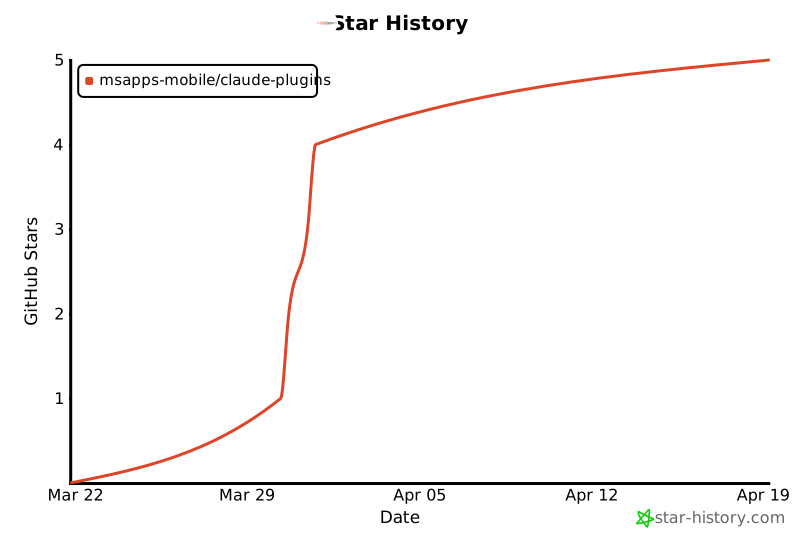
## Star History
If this project is useful to you, consider giving it a ⭐ — it helps others discover these tools.
[](https://star-history.com/#MSApps-Mobile/claude-plugins&Date)
---
## Support
- **Issues:** [GitHub Issues](https://github.com/MSApps-Mobile/claude-plugins/issues)
- **Email:** [email protected]
- **Website:** [msapps.mobi](https://msapps.mobi)
---
<p align="center">
Built by <a href="https://msapps.mobi">MSApps</a> · Powered by SOSA™
</p>
© MSApps-Mobile · MIT · MSApps-Mobile/claude-plugins


