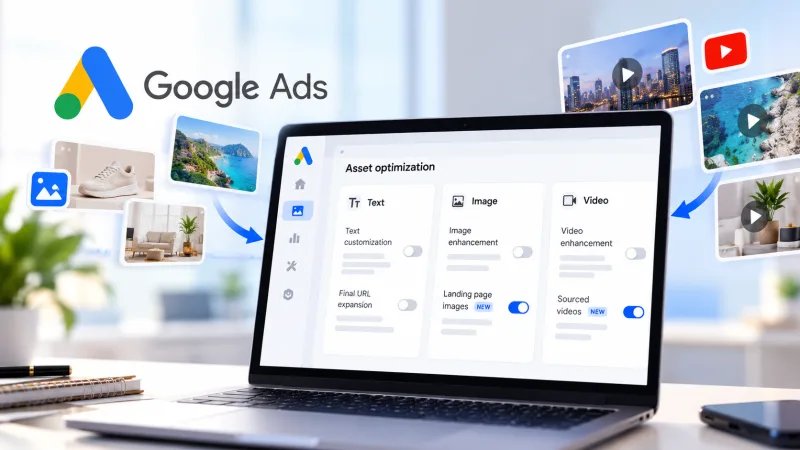
What changed
Google Ads now sources up to 10 videos automatically for Performance Max campaigns. Advertisers used to load video assets themselves. The system now pulls clips on its own and builds them into creatives. Less manual work, and less control over what the audience sees.
For anyone buying on CPA through PMax, that is a reason to go back over asset settings, especially if the account holds video you never uploaded.
What to check
PMax already mixed creatives freely. Auto-sourced video adds a layer nobody signed off on. Google draws clips from several sources and assembles combinations, so a creative can land that does not match the offer, the GEO or the audience. A video with the wrong message or a weak opening frame drags on CTR and muddies campaign learning. PMax runs on its own, so the discovery tends to come after the spend.
The system pulls up to 10 videos and spreads them across asset groups, then decides which clips to show in which combinations. Advertisers can influence the choice. They do not control what enters rotation. Video sitting in the account or on linked properties can be used without separate confirmation, including clips from other campaigns and material uploaded for other purposes.
Start with the assets already in place. Open each PMax campaign and look at which videos the system inserted. Pull or replace anything off-offer. Then check linked sources: whatever sits in the library and on connected properties can end up in rotation. Confirm the auto-sourced clips fit the campaign's GEO and language, since a video in another language costs CTR. Look at the first frame and the thumbnail too. That is what decides whether a user stops, and the automation does not optimise for it.
Google's automation does not know the vertical. Nutra, gambling and finance need a specific trigger in the first seconds, and a neutral clip will waste part of the traffic. Brand safety is the second exposure: auto-sourcing can surface video an advertiser never meant for a wide audience, which matters on white-hat projects and accounts under manual moderation. The third is testing. When video is picked automatically, reading which creative produced the result gets harder, and attribution inside the campaign breaks down.
A regular asset check is the practical fix. Walk the PMax campaigns every few days and see what has been added. On large account counts, set alerts or export the assets to track changes. If you are testing new bundles, upload your own video up front and mark it as preferred, which leaves the system fewer reasons to pull something from outside.


