pcf-model-driven-apps — GitHub Copilot rule: how to install
Teaches GitHub Copilot how to build and update code components for model-driven apps. Applies to ts, tsx, js, json, xml, pcfproj and csproj files.
.github/instructions/pcf-model-driven-apps.instructions.mdWhat pcf-model-driven-apps does
This rule gives Copilot background on Power Apps component framework, which lets developers change how data is displayed in model-driven apps. Code components can go on columns, grids and subgrids. The framework is on by default for model-driven apps.
It is plain guidance plus links to Microsoft docs: building a first component in TypeScript, attaching it to a column or table, and examples with a linear slider and a dataset grid. Work goes through Microsoft Power Platform CLI, and the prerequisites from the docs have to be installed before you begin. The rule is scoped to **/*.{ts,tsx,js,json,xml,pcfproj,csproj}.
Updates are the part you will hit most. Edited a component and want it to show up at runtime? Bump the version in the manifest first, because without that the change will not appear. The docs recommend doing it on every change.
What it helps with
- put a linear slider on a form column
- swap the default grid for a dataset component
- attach a custom code component to a subgrid
- build a first PCF component in TypeScript step by step
- find out why an edited component does not change at runtime
Example prompts for the agent
- Add a code component with a linear slider to a column in my model-driven app
- I changed my PCF component but the runtime still shows the old behavior. What do I fix in the manifest?
- Walk me through creating a first PCF component in TypeScript with Power Platform CLI
How to install pcf-model-driven-apps
Manually: put the files in place
.github/instructions/pcf-model-driven-apps.instructions.mdThe applyTo field sets which files it applies to
Manually: put the files in place
.claude/rules/pcf-model-driven-apps.mdThe paths frontmatter field limits the files: move applyTo from the source into paths
AGENTS.md
Codex reads AGENTS.md: paste the rule text there
Manually: put the files in place
.cursor/rules/pcf-model-driven-apps.mdcFrontmatter: description, globs, alwaysApply. Move applyTo from the source into globs, or the rule will not attach on its own
Manually: put the files in place
.devin/rules/pcf-model-driven-apps.mdManually: put the files in place
.clinerules/pcf-model-driven-apps.mdStep by step, with commands for each platform: AGENTS.md vs CLAUDE.md: what they are and which one to use
Questions about pcf-model-driven-apps
How do I install pcf-model-driven-apps in GitHub Copilot?
Put the rule file at .github/instructions/pcf-model-driven-apps.instructions.md. It targets ts, tsx, js, json, xml, pcfproj and csproj files.
What does pcf-model-driven-apps do?
It gives Copilot context on code components for model-driven apps: where they can be added, how to create a first one, and how to update existing ones.
Why don't my code component changes show up in the app?
The version property in the component manifest has to be raised. Without that the edits do not appear at runtime, and the docs suggest doing it on every change.
Source text
pcf-model-driven-apps.instructions.md · MIT
---
description: 'Code components for model-driven apps implementation and configuration'
applyTo: '**/*.{ts,tsx,js,json,xml,pcfproj,csproj}'
---
# Code Components for Model-Driven Apps
Power Apps component framework gives developers the ability to extend the visualizations in model-driven apps. Professional developers can create, debug, import, and add code components to model-driven apps using [Microsoft Power Platform CLI](https://learn.microsoft.com/en-us/power-apps/developer/component-framework/get-powerapps-cli).
## Component Usage
You can add code components to:
- Columns
- Grids
- Sub grids
in model-driven apps.
> **Important**: Power Apps component framework is enabled for model-driven apps by default. See [Code components for canvas apps](https://learn.microsoft.com/en-us/power-apps/developer/component-framework/component-framework-for-canvas-apps) to learn how to enable Power Apps component framework for canvas apps.
## Implementing Code Components
Before you start creating code components, make sure that you have installed all the [prerequisites](https://learn.microsoft.com/en-us/power-apps/developer/component-framework/create-custom-controls-using-pcf#prerequisites) that are required to develop components using Power Apps component framework.
The [create your first code component](https://learn.microsoft.com/en-us/power-apps/developer/component-framework/implementing-controls-using-typescript) article demonstrates the step-by-step process to create code components.
## Add Code Components to Model-Driven Apps
To add code components to a column or a table in model-driven apps, see [Add code components to model-driven apps](https://learn.microsoft.com/en-us/power-apps/developer/component-framework/add-custom-controls-to-a-field-or-entity).
### Examples
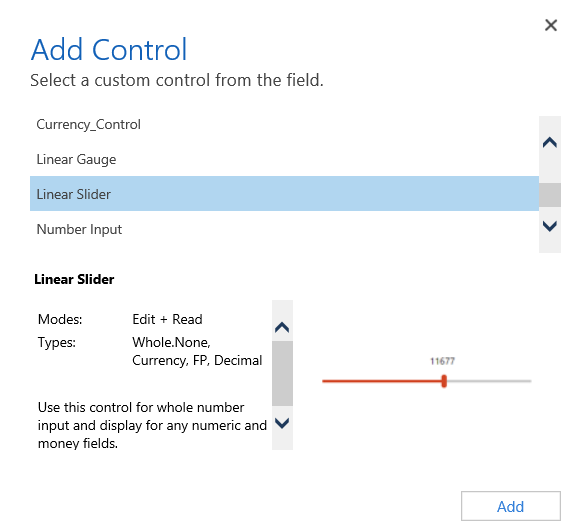
**Linear Slider Control:**
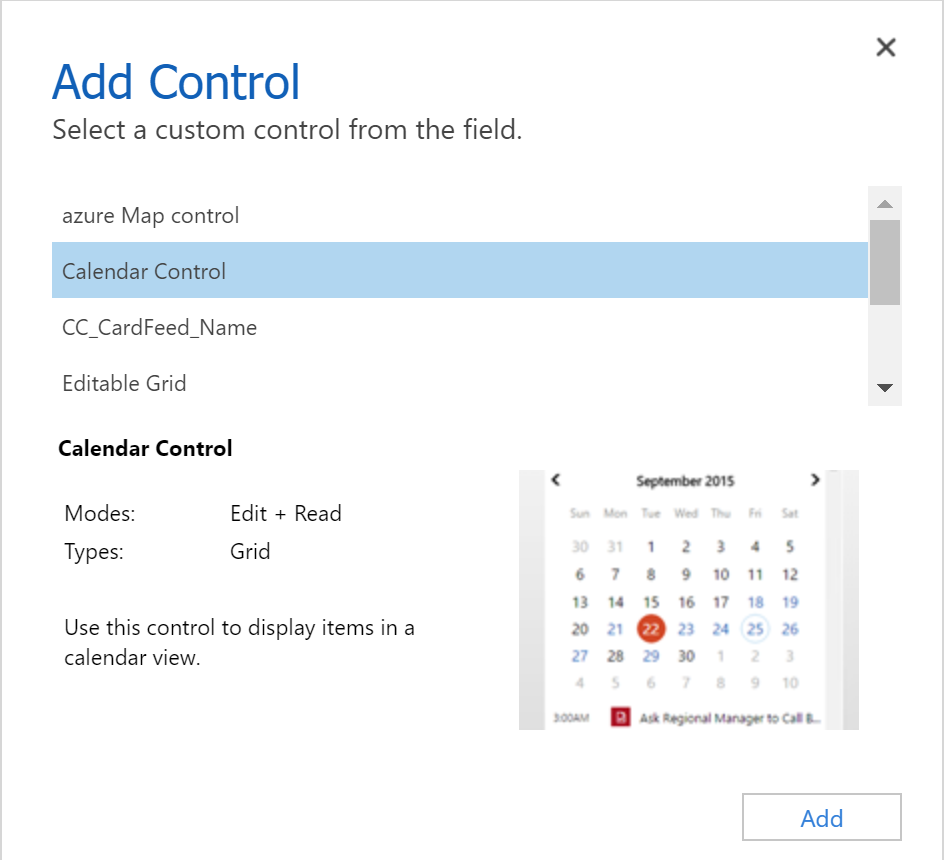
**Data Set Grid Component:**
## Update Existing Code Components
Whenever you update the code components and want to see the changes in runtime, you need to bump the version property in the manifest file.
**Best Practice**: It is recommended to always bump the version of the component whenever you make changes.
## See Also
- [Power Apps component framework overview](https://learn.microsoft.com/en-us/power-apps/developer/component-framework/overview)
- [Create your first code component](https://learn.microsoft.com/en-us/power-apps/developer/component-framework/implementing-controls-using-typescript)
- [Learn Power Apps component framework](https://learn.microsoft.com/en-us/training/paths/use-power-apps-component-framework)
© github · MIT · github/awesome-copilot


