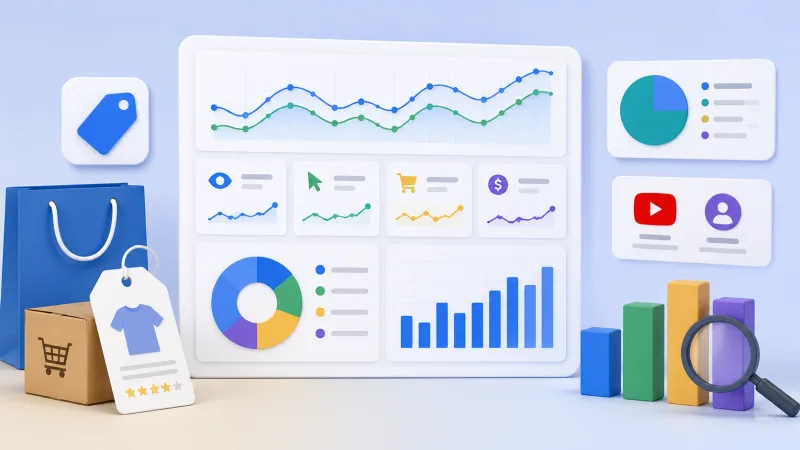
Google has updated Merchant Center reporting with refined YouTube traffic classifications and expanded product-level performance data. For e-commerce teams, CPA affiliates and iGaming projects running branded merchandise or product funnels, this marks a shift toward clearer ROAS assessment by channel and SKU.
The update addresses two areas: new YouTube traffic classifications in reports, and expanded performance insights at product level. Previously, traffic from Google's ecosystem could appear too aggregated. Marketers saw campaign results but couldn't easily separate YouTube's role as a discovery channel from other sources. Segmentation is now more granular, making it easier to evaluate video platforms' contribution to the user journey.
Product-level insights matter most for teams managing catalogues rather than single landing pages. The larger the SKU count or offer range, the higher the risk of deciding on 'campaign roughly breaks even' without seeing which specific items create margin. A campaign may look profitable at 280% ROAS while fifteen products deliver 700%+ and the rest run at a loss. Without product-level analytics, shutting down the campaign means losing the profitable segment.
Why YouTube traffic needs separate analysis
YouTube rarely works as a simple performance channel. It influences demand earlier: introduces the brand, warms the audience, builds trust and brings the user back to search or shopping results with clearer intent. For arbitrage or affiliate teams, the pattern is familiar. A user sees a review, short or pre-roll with a bonus code, but converts later through search, retargeting or direct visit. If reporting doesn't separate channel roles, YouTube gets either undervalued or overestimated.
The new classification helps answer practical questions: which YouTube traffic participates in sales versus generating views only, which products gain interest after video placements, how CTR and conversion change in the YouTube + Shopping combination, whether to scale video creatives or shift budget to search, and which audiences deliver acceptable ROAS after video contact. For CIS teams working international GEOs, this is especially useful. On some markets YouTube is a strong trust channel; on others, expensive reach with little contribution to purchase.
Product-level insights and what they reveal
Reporting at product level matters because average campaign ROAS often misleads. One campaign may appear profitable while a few products carry the result and the rest consume budget. Conversely, overall ROI may look weak while one segment shows high potential and requires separate strategy.
Expanded product data helps find positions with high demand and weak visibility, products with clicks but low conversion, SKUs where price loses to competitors, products that perform well after YouTube warming, and assortment worth excluding from active promotion. In affiliate marketing the logic is similar. If you run several offers, bonus packages or landing combinations, you need to know what drives registration, deposit, subscription purchase or other target action. Especially in iGaming, where first conversion doesn't always mean quality player. An offer may deliver high CTR but weak FTD, low LTV or poor revshare.
How to use the new reports
Stop treating Merchant Center as a support cabinet for the feed. Include it in regular analysis alongside Google Ads, GA4, CRM and internal BI. Separate traffic by role: search and Shopping usually catch formed demand, YouTube more often creates or warms it. Evaluate channels not only by last click but by participation in the chain.
Compare YouTube segments with product performance. If interest in specific products grows after video campaigns, isolate them into separate groups, adjust bids, improve cards and test new creatives. Check products with high CTR and low CVR. The problem is often not the ad but price, delivery, card, reviews, payment methods or weak offer. Separate margin products from image products. Not all positions should be evaluated the same. Some are needed for turnover, others for audience attraction, others for upsell.
Watch dynamics, not one day. YouTube can have delayed effect. To assess video impact on sales, take a window of at least seven to fourteen days, wider for expensive products. New insights will only be useful if feed data is clean enough. Bad titles, vague categories and incorrect attributes turn reporting into noise. Product names should contain key characteristics, not only brand. Google Product Category should be as precise as possible. Images must match user expectations. Prices, stock and delivery should update without delay. Custom labels should be used for margin, season, priority, GEO or offer type.
Impact on Performance Max and Shopping campaigns
Performance Max depends heavily on signals the advertiser passes to the system. The better structured the feed and the more precise the analytics, the easier it is for the algorithm to find 'audience — creative — product — intent' combinations. Expanded reporting doesn't mean Google suddenly reveals all internal PMax mechanics. But it gives more controllable points.
Take out top products into separate asset groups. Use different creatives for YouTube and Shopping scenarios. Exclude unprofitable positions if they don't serve a strategic role. Test price promotions for products with high interest and low conversion. Analyze not only ROAS but margin, returns, LTV and repeat purchases. In iGaming this translates to promo packages and bonus offers: one bonus may perform well in video, another converts better in search, a third delivers quality players on revshare. Mixing them in one evaluation means losing control.
What marketers should take away
The Merchant Center update confirms Google's broader trend: ad cabinets are becoming more cross-platform, and effectiveness needs to be assessed not within one click but across the full interaction chain. YouTube, Shopping, search and product feed work as a single system, even if different specialists inside the team are responsible for them.
For business this means one thing: those who connect data faster will win. Not just launch a campaign, but understand which products, creatives, audiences and channels create profit. The new Merchant Center reports provide another layer of that transparency. Clean up the feed, set up correct markup, review campaign structure and start analyzing performance at specific product level regularly. Then updated reporting becomes a working tool for ROAS growth and ad budget control, not just another interface tab.


