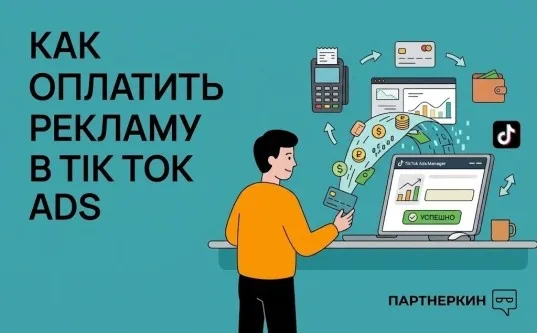
TikTok Ads Guide Covers Payment Options in Russia
TikTok Ads payment depends on the country, the account currency and the billing model selected when the account is created. This guide covers the three billing models, the steps for topping up TikTok Ads Manager and the restrictions affecting Russian accounts, where direct payments through the listed providers are unavailable.
What You Need
Direct payment requires a TikTok Ads account and a payment method available for the selected country and account currency. Bank cards can be used in most countries, PayPal in many, and local payment systems in some markets. Monthly invoicing is available only to companies approved by TikTok.
Russia is still shown in the EMEA payment table, with rubles and dollars, bank cards and PayPal listed for manual and automatic payments. The providers of those payment solutions, however, no longer process payments from Russia.
Choose a Payment Model
When creating a TikTok Ads account, an advertiser can select one of three models:
- Manual Payment, or prepayment. Funds are added in advance and deducted from the balance as ads run.
- Automatic Payment. TikTok charges the linked payment method when the billing threshold is reached or the billing date arrives. The condition reached first triggers the charge.
- Monthly Invoicing. This option is available to companies approved by TikTok.
The model can be changed only upwards: from manual payment to automatic payment, from manual payment to invoicing, or from automatic payment to invoicing. Once an account moves to automatic payment, it cannot return to prepayment. An account on invoices cannot move back to either of the other models.
Top Up the Balance Manually
- Open TikTok Ads Manager, move the cursor over 'Tools' in the top menu and select 'Payment' in the 'Settings' block.
- Click 'Add Balance', enter the amount and select 'Confirm'.
- On the next screen, choose a linked payment method or add a new one. Then click 'Make Payment'.
After a successful transaction, the amount appears on the payment page and in the 'Today's Spend' module on the dashboard. If the payment fails, TikTok directs the user to a checklist for unsuccessful payments, after which the attempt can be repeated.
There is no minimum top-up amount. The campaign's daily budget must still exceed $50, while the daily budget for an ad group must be $20 or more. For accounts owned by a Business Center, funds must be added through 'Payment management' in the BC.
The balance must cover the cost of running the ads. Once the funds run out, delivery stops and the balance has to be topped up. Any unused amount carries over to future campaigns. If the billing model changes, that balance can be used to pay automatic-payment charges or monthly invoices.
Set Up Automatic Payment
- In the top menu, click 'Tools', open 'Payments' in the 'Settings' column and select 'Add Payment Method'.
- Choose a payment method available for the account.
For an account managed by a Business Center, open 'Finance' in the left-hand menu and then 'Payment management'. Payment methods can be added or changed by administrators, administrators with financial manager rights, and standard members with those rights. Several methods can be linked, with one assigned as the primary method.
A primary payment method must remain on the account. When a card is added for automatic payment, TikTok checks that it works by charging at least $10 or the equivalent in local currency. The amount is returned within 15 days.
The billing threshold and the next billing date appear on the transactions page. If a charge fails, TikTok can suspend campaigns until funds arrive. Any funds already held in an account using automatic payment are spent first.
Move to Monthly Invoices
Monthly invoicing is a credit line for business accounts that TikTok considers suitable. An invoice arrives once a month or when an order is completed. It must be paid within 30 days of the issue date unless the contract sets another deadline.
- In 'Finance', click 'Apply Now' to confirm the move to monthly invoicing.
- In the same section, complete the change by clicking 'Upgrade Now' in the highlighted block.
TikTok sets the credit limit at its own discretion. The limit itself is not a payment method: the invoice is settled by bank transfer, card or another accepted method using the details on the invoice. The amount can be disputed within 7 days of receiving the invoice. The remaining limit is shown in the payments section under the 'Summary' tab, or inside Payment Portfolio for accounts that have it enabled.
Use Payment Options Inside TikTok
GMV Pay lets advertisers pay for ads in Ads Manager or Seller Center with part of the revenue from a TikTok Shop. A primary billing model is still required, whether manual payment, automatic payment or invoicing. GMV Pay works only in supported markets and currencies, and Russia is not among them.
Promote is TikTok's tool for promoting videos from the app or the web version. It supports TikTok Coins, bank cards, bank account details, gift cards and electronic wallets, with the available set depending on the country. Advertisers can also spend the Promote balance, use an Ads Manager balance after linking the advertising account, and connect GMV Pay.
After Promote is integrated with Ads Manager, funds cannot be withdrawn from Promote Balance through the standard process. The remaining balance can be spent on future campaigns or withdrawn by closing the Promote account.
Account for Taxes on Ad Spend
Taxes charged when topping up an advertising account or paying for TikTok Ads depend on the account's registration country, its tax rules and whether TikTok has verified the VAT number of the company listed when the business account was created. The most common charge is VAT, which can reach 22%.
TikTok does not charge VAT when a company is registered as a VAT payer in the country where it buys advertising and its VAT number has passed verification. The company then remains responsible for paying or reclaiming the tax.


