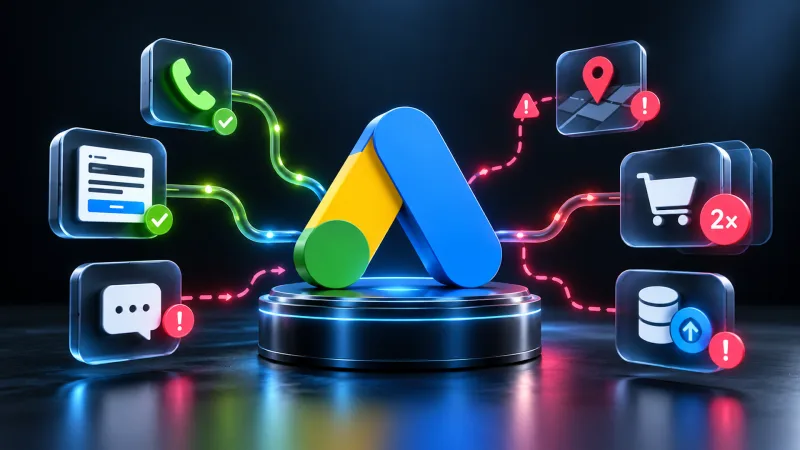
Why campaigns optimise toward the wrong goal
You run traffic, Google Ads learns, bids rise — but the result is off. The problem is often not the creative or the audience. The problem is that the system optimises campaigns toward the wrong objectives. Conversions are counted incorrectly, some actions never reach the reports, and offline data imports fail.
Here are the tracking setup mistakes that burn budget while staying invisible at first glance.
Missing conversions: what the system does not see
First issue: not all target actions make it into reports. You set up purchase tracking but forgot the consultation request. Or you track desktop only while mobile traffic disappears.
What to check. Every funnel stage matters. Purchase, registration, call, download, subscription — each action that has value should be tracked as a separate conversion. Cross-device continuity breaks when Enhanced Conversions or offline import is not configured: user clicks on mobile, completes the order on laptop, system loses the thread. Micro-conversions like add-to-cart, key page views, phone number clicks help the algorithm find the audience faster.
Without the full picture, automated bidding strategies work blind.
Inflated count: when there are too many conversions
Second extreme: conversions are counted multiple times. User refreshed the thank-you page — system recorded two purchases instead of one. Or the same action is tracked through both Google Tag Manager and legacy on-site code.
Signs of trouble: conversion count exceeds sessions or clicks, sharp spike in conversions with no traffic growth, duplicates across Google Analytics and Google Ads reports.
How to fix it. Check the 'Count' setting in the Google Ads interface. For most goals — purchase, lead, registration — choose 'One'. Exception: actions the user may perform multiple times in one visit.
Remove duplicate tags. If conversion tracking runs through GTM, old code in the site HEAD must be removed.
Offline conversions: where import breaks
Third trap: errors when uploading offline data. Lead came from ads, manager closed the deal a week later, but the system never learned. Google Ads keeps treating the source as ineffective and lowers bids.
Why import fails. GCLID is not passed — the click parameter must be saved in the CRM with the lead; without it, offline conversion cannot be tied to the ad. File format violations: extra columns, wrong encoding, time zone mismatch — any detail breaks the upload. Timeouts: Google Ads accepts offline conversions only within a window after the click; data uploaded too late will not count.
Set up automatic data transfer from CRM via API. Manual CSV export is a source of errors and delays.
Attribution: which model counts conversions
Fourth point: attribution model. Google Ads defaults to last click, but that is not always right. When the deal cycle is long, the user passes through several touchpoints — search ads, remarketing, direct visit. Last click assigns all credit to the final source, devaluing the rest.
For purchase cycles longer than a day, switch to data-driven attribution. It distributes conversion weight across all touchpoints based on actual audience behaviour.
One caveat: the model requires minimum data volume. Until that threshold is met, use linear attribution or position-based.
Wrong conversion value
Fifth mistake: all conversions carry equal value. A consultation request and a purchase worth a hundred thousand weigh the same for the algorithm. Result: the system chases cheap leads while ROI drops.
What to do. Assign different values to different conversion types — purchase is worth more than a newsletter signup. Pass dynamic transaction value through tracking code so Google Ads sees the actual order amount, not a fixed number. Use offline conversion import to pass final deal revenue, not just the lead event.
Without correct value, target ROAS strategies fail.
Conflicting goals: when the campaign pulls in different directions
Sixth issue: multiple conversions are included in the 'Conversions' column even though they conflict. Add-to-cart and purchase both count toward optimisation at the same time. The algorithm cannot decide whether to bid on top-of-funnel or bottom.
In conversion settings there is an 'Include in Conversions' toggle. Keep only final target actions there — the ones the campaign was launched for. Move micro-conversions to observation mode: they will appear in reports but will not affect optimisation.
One campaign, one primary goal. If you need to drive traffic toward both purchase and registration, split into separate campaigns.
No verification after changes
Seventh mistake: you edited site code, updated a tag, moved to a new domain — and did not verify that conversions still fire. Google Ads keeps running, budget keeps spending, but data stops coming in.
After any site change: check tag firing via Google Tag Assistant or GTM preview mode, confirm a test conversion appears in Google Ads reports (this may take hours), compare conversion counts in Google Ads and Google Analytics — discrepancy is acceptable, but not by multiples.
Half an hour of verification beats a week of blind traffic.
In short
Incorrect conversion tracking is one of the main reasons Google Ads burns budget even when targeting and creative are right. The system optimises campaigns toward the data it receives. When data is incomplete, inflated, or delayed, the outcome is predictable.
Check conversion settings before blaming the algorithm or changing strategy. The fix often takes an hour.


