join-meeting — Claude Code plugin: what it does, how to install
join-meeting puts Claude Code into Google Meet, Zoom, or Microsoft Teams as a voice-enabled participant. It can stay on the call while editing your codebase.
/plugin marketplace add anthropics/claude-plugins-community
/plugin install join-meeting@claude-communityWhat join-meeting does
join-meeting gives Claude Code a meeting channel for both input and output. The agent can speak, consume live transcripts, capture shared-screen images, show an animated avatar, present pages, and use meeting chat. Its coding session stays active during the call, so it can inspect code, edit files, run commands, and commit changes without leaving the meeting.
The plugin includes audio, webpage-av, and webpage-av-screenshare modes, plus direct and collaborative voice strategies. It runs on top of a coding agent rather than as a standalone app. You need Python 3.10+ or Node.js 18+, aiohttp and websockets for Python or ws for Node.js, and an AgentCall account with an API key. The meeting service will not start without a runtime and its required dependencies.
What it helps with
- bring Claude Code into a video meeting
- capture a live transcript of the discussion
- share a dashboard or page with attendees
- send links through meeting chat
- apply code changes while the call continues
Example prompts for the agent
- Join this meeting:
https://meet.google.com/abc-def-ghi - Listen to the discussion and update
src/app.tswith the changes the team agrees on. - Show the dashboard page to the meeting and post its link in the chat.
How to install join-meeting
Plugin marketplace
/plugin marketplace add anthropics/claude-plugins-community/plugin install join-meeting@claude-communityStep by step, with commands for each platform: Claude Code plugins: marketplaces, installing, and building your own
Questions about join-meeting
How do I install join-meeting in Claude Code?
First run /plugin marketplace add anthropics/claude-plugins-community, then run /plugin install join-meeting@claude-community.
What does join-meeting do?
It joins Google Meet, Zoom, or Microsoft Teams as a bot that can speak and appear on screen. Claude Code can listen, present content, chat, and continue coding during the call.
What does join-meeting require?
You need Claude Code, Python 3.10+ or Node.js 18+, the matching runtime dependencies, and an AgentCall account with an API key. The key can come from AGENTCALL_API_KEY or ~/.agentcall/config.json.
Source text
SKILL.md · MIT
# join-meeting
**Let any AI agent join and participate in video meetings via voice.**
An [AgentCall](https://agentcall.dev) skill that enables AI coding agents (Claude Code, Cursor, Codex, Gemini CLI, OpenClaw, Windsurf, Junie, and 30+ more) to join Google Meet, Zoom, and Microsoft Teams as a bot with voice conversation, visual avatar, screenshare, and real-time transcription.
## What It Does
Your AI agent joins a meeting as a participant and can:
- **Talk** — respond via text-to-speech (54 voices, 9 languages, <1s latency)
- **Listen** — receive real-time transcripts of what participants say
- **See** — take screenshots of shared screens, slides, presentations
- **Show** — display an animated avatar as the bot's camera feed
- **Present** — screenshare URLs, dashboards, slides dynamically during the call
- **Chat** — send and receive meeting chat messages
- **Collaborate** — use GetSun voice intelligence for natural multi-party conversations
The agent keeps its full session context — it can search code, edit files, run commands, and commit changes while talking in the meeting. The meeting is just another I/O channel.
## Quick Start
### Prerequisites
This is a **skill, not a standalone app** — it runs on top of a coding agent. You'll need:
1. **A coding agent** — one of:
- Claude Code (Anthropic)
- OpenClaw
- Cursor 2.5+
- OpenAI Codex CLI
- Gemini CLI
- Windsurf (Cascade)
- GitHub Copilot (JetBrains / VS Code)
- Junie
2. **Python 3.10+** or **Node.js 18+**
3. **Dependencies**: `pip install aiohttp websockets` (Python) or `npm install ws` (Node.js)
4. **An AgentCall account** — free, and the agent can create it for you. On first
run with no key, the skill registers you via a one-time email code (or paste an
existing key from https://app.agentcall.dev/api-keys). New accounts include free
trial credits.
### Install
Pick your agent. For anything not listed, see *From GitHub (any agent)*.
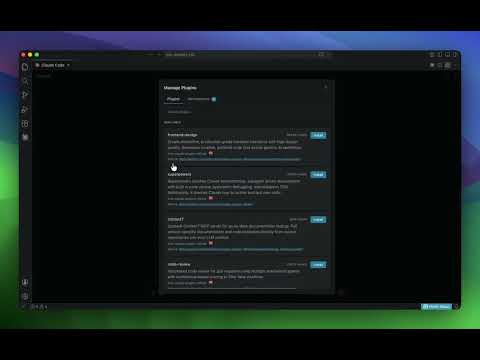
#### Claude Code
```
/plugin marketplace add pattern-ai-labs/agentcall
/plugin install join-meeting@agentcall
```
[](https://www.youtube.com/watch?v=mrwzHWnJMCw)
#### OpenClaw
```
openclaw skills install join-meeting
```
#### Cursor 2.5+
Use `/add-plugin` in the editor, or browse cursor.com/marketplace.
#### OpenAI Codex CLI
Drop the skill into `~/.codex/skills/`, or run `$skill-installer` from your Codex session. (`SKILL.md` is read directly.)
#### Gemini CLI
```
gemini extensions install https://github.com/pattern-ai-labs/agentcall
```
(Run from your terminal, not from inside the interactive CLI.)
#### From GitHub (any agent)
```
git clone https://github.com/pattern-ai-labs/agentcall.git
```
Then point your agent at `agentcall/SKILL.md` (the open Agent Skills standard, supported by 30+ frameworks):
- **Windsurf** — drop folder into `.windsurf/skills/`
- **GitHub Copilot (JetBrains)** — reference from `~/.copilot/agents/*.agent.md`
- **Junie** — `npx skills add pattern-ai-labs/agentcall --agent junie`
- **Claude Code (single-session, no install)** — drop folder into `.claude/skills/`
[](https://www.youtube.com/watch?v=qpgjhRvzP_Q)
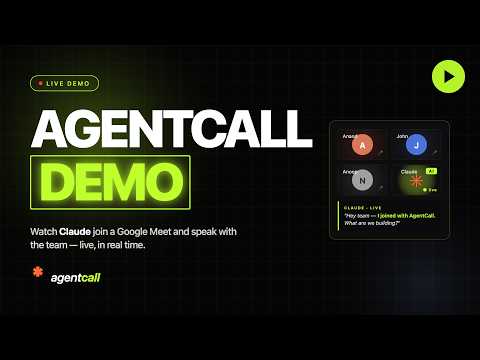
### See it in action
[](https://www.youtube.com/watch?v=d4DD8HP65pU)
### Join a Meeting
Tell your agent: *"Join this meeting: https://meet.google.com/abc-def-ghi"*
## Modes
| Mode | What the bot has | Use case |
|------|-----------------|----------|
| `audio` | Voice only | Simplest — voice conversations, note-taking |
| `webpage-av` | Voice + animated avatar | Visual presence in meetings |
| `webpage-av-screenshare` | Voice + avatar + screenshare | Presentations, sharing content |
## Voice Strategies
| Strategy | How it works | Best for |
|----------|-------------|----------|
| `direct` | Agent controls TTS directly | 1-on-1 conversations, customer support |
| `collaborative` | GetSun voice intelligence handles timing | Group meetings, natural conversation flow |
## Features
- **VAD gap buffering** — combines fragmented transcripts into complete utterances
- **Barge-in prevention** — waits for silence before speaking
- **Auto-interruption** — detects when someone talks over the bot (webpage modes)
- **Sentence tracking** — knows which sentence was interrupted and when
- **WebSocket reconnection** — auto-reconnects on network blips with call status check
- **Crash recovery** — reconnects to active calls after agent restart
- **7 built-in templates** — pattern, orb, ring, avatar, dashboard, blank, voice-agent
- **Screenshots** — capture what's on screen at any time
- **Chat I/O** — send URLs, code, text that's hard to speak
- **API key persistence** — saved to `~/.agentcall/config.json`, asked once
## Agent Frameworks
Works with any agent that can spawn a subprocess and read stdout:
| Framework | Status |
|-----------|--------|
| Claude Code / Agent SDK | Full support (+ Stop Hook for persistent calls) |
| OpenAI Codex | Full support |
| Cursor | Full support (tmux for PTY) |
| Windsurf (Cascade) | Full support |
| Gemini CLI | Full support |
| JetBrains Junie | Full support |
| OpenClaw | Full support |
| GitHub Copilot | Full support |
| Aider | Partial (no subprocess) |
## Network endpoints & credentials
The skill's scripts make outbound connections to these endpoints only:
| Endpoint | Used by | Purpose |
|---|---|---|
| `https://api.agentcall.dev` | `scripts/*/agentcall.*`, `join.*`, bridges | Create and end calls, read call state and transcripts |
| `wss://api.agentcall.dev/v1/calls/{id}/ws` | bridges | Live meeting events in; agent commands (speak, chat, screenshare) out |
| `wss://api.agentcall.dev/internal/tunnel/connect` | `tunnel.*` (webpage modes only) | Outbound tunnel that lets the meeting bot load your local UI page, which is served on `127.0.0.1` only. No inbound port is opened on your machine |
| `https://api.agentcall.dev/v1/auth/email-otp/*` | `register.*` (optional) | One-time email code to create an account and mint an API key |
| `https://raw.githubusercontent.com/pattern-ai-labs/agentcall/main/.claude-plugin/plugin.json` | `check_update.*` (optional) | Reads the published version string to tell you an update exists. Cached for 7 days; sends no data |
`https://app.agentcall.dev` appears only as a link for you to create or manage keys — the scripts never call it. The API base can be overridden with the `AGENTCALL_API_URL` environment variable (or `api_url` in the config file).
**Credentials:** one AgentCall API key (`ak_ac_…`), read from the `AGENTCALL_API_KEY` environment variable or the `api_key` field of `~/.agentcall/config.json`. It is sent only to `api.agentcall.dev` — as an `Authorization` header, and as an `api_key` query parameter on the WebSocket connection. No other credentials, environment variables, or files are read.
**Local files:** `~/.agentcall/config.json` (API key, optional `api_url`; written by `register.*`, merging existing fields) and `~/.agentcall/update-check.json` (version-check cache).
**Install behaviour:** no install or postinstall scripts and no downloaded binaries. `scripts/run.sh` uses an existing Python or Node runtime; if dependencies are missing it prints the `pip install` / `npm install` command for you to run rather than running it.
**Meeting data:** the bot is a visible, named participant. Meeting audio and transcripts stream through `api.agentcall.dev` in real time and are not permanently stored — see the [Privacy Policy](https://agentcall.dev/privacy).
## Documentation
- **[SKILL.md](SKILL.md)** — Complete reference (modes, events, commands, patterns, Claude Code integration)
- **[examples/](examples/)** — 8 working examples (notetakers, support agent, meeting assistants, coding companion, ElevenLabs voice)
- **[references/](references/)** — API reference + guides (collaborative mode, interruption handling, crash recovery, screenshare)
## Pricing
Base plan: 6 hours of meeting time, 1 concurrent call. All features included.
Paid: per-minute billing. See [agentcall.dev](https://agentcall.dev) for details.
## License
MIT — use, modify, redistribute freely.
---
Built by [AgentCall](https://agentcall.dev) (Pattern AI Labs)
© pattern-ai-labs · MIT · pattern-ai-labs/agentcall


